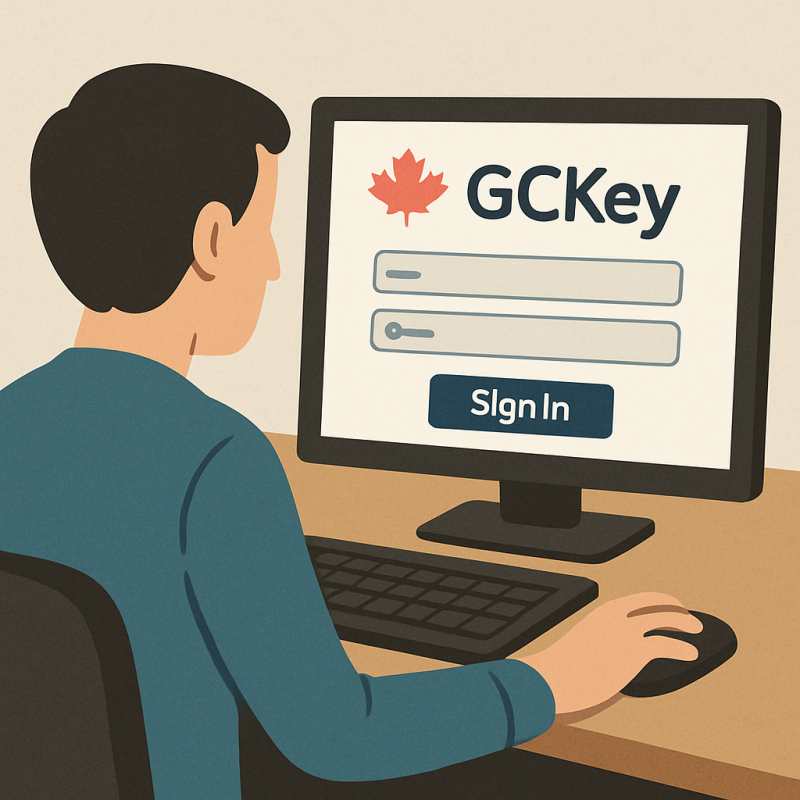
Navigating Canadian government services online can be daunting. The GC Key system simplifies this process. It offers a secure way to access various services.
Whether you’re applying for a visa or checking your immigration status, GC Key is essential. It provides a centralized login for multiple government services.
Creating a GC Key account is straightforward. Once set up, you can log in with ease. This guide will walk you through each step.
We’ll also cover troubleshooting tips for common login issues. Plus, we’ll compare GC Key with the IRCC portal.
By the end, you’ll confidently access Canadian e-services. Let’s dive into the world of GC Key login.

What is GC Key? Understanding the Portal and Its Uses
GC Key is a digital tool for secure access to Canadian government services. It is part of Canada’s digital government strategy. The tool ensures safe and private access to services.
Users rely on GC Key for various applications. It is especially useful for immigration, visas, and citizenship-related services. Using GC Key, you can track applications and receive notifications.
Key features of GC Key include:
- Centralized access for multiple services
- Secure login with username and password
- Option to recover forgotten login details
The portal simplifies online interactions with the government. It is supported by the Government of Canada, which ensures its security and reliability.

How to Create a GC Key Account
Creating a GC Key account is simple and straightforward. Begin by visiting the official GC Key website. Ensure the website URL is correct to avoid phishing scams.
To create your account, select the option labeled “Register with GC Key.” This will direct you to a registration form. Here, you will need to input your personal details securely.
Once you complete the registration form, choose a username and a strong password. A robust password is crucial to protect your account. Think about using a mix of letters, numbers, and symbols.
After setting your password, you may need to answer security questions. These questions will help if you need to recover your account. Take note of your responses, or store them in a secure place.
Steps to create a GC Key account include:
- Visit the official GC Key site
- Click “Register with GC Key”
- Fill in the registration form
- Choose a strong password
- Set up security questions
The entire process only takes a few minutes. Once complete, you can access various government services swiftly.

Step-by-Step GC Key Login Instructions
Logging into your GC Key account allows access to Canadian government services. Follow these steps for a seamless login experience.
First, navigate to the official GC Key login page. It’s crucial to ensure the web address is correct to maintain security. Reliable internet connectivity is also essential for logging in without interruptions.
On the login page, you must enter your unique username. Following this, input your password in the designated field. Ensure your password is typed accurately to prevent login issues.
If you encounter login problems, ensure caps lock is not enabled. Also, double-check that your username is typed correctly. These minor details can significantly impact your ability to log in.
Here are the steps to log in:
- Open the GC Key login page
- Enter your unique username
- Input your secure password
- Double-check your entered details
- Click “Sign In” to access your account
Logging in should only take a few moments. If successful, you will have access to a range of services. Be sure to log out after your session to secure your information.

Troubleshooting Common GC Key Login Issues
If you encounter issues while attempting to log in, don’t worry. Many common login problems can be resolved quickly. Here are some tips to help you troubleshoot.
First, make sure you’re using the correct username and password. It’s easy to mistype, especially if you’re in a hurry. Double-check your credentials and try logging in again.
Next, consider clearing your browser’s cache and cookies. Browsers sometimes store outdated data that can interfere with logging in. After clearing, attempt to log in once more.
Here are some steps to follow if you face login issues:
- Verify your internet connection is stable
- Ensure your browser is up-to-date
- Reset your password if forgotten
- Clear browser cache and cookies
These steps solve most common problems. If issues persist, contact support for additional assistance. They can help resolve any persistent login difficulties.
GC Key vs. IRCC Portal: Which Should You Use?
Choosing between GC Key and the IRCC Portal depends on your specific needs. Both platforms offer distinct advantages. Understanding these can help you decide which one to utilize.
GC Key is a versatile tool for accessing various Canadian government services. It provides a secure login and is widely compatible with many online systems. For users seeking a broad access point, GC Key is ideal.
The IRCC Portal, on the other hand, is tailored specifically for immigration-related services. This makes it particularly useful for visa, refugee, and citizenship applications. For users focused on immigration matters, the IRCC Portal might be more suitable.
Here’s a quick comparison to aid in your decision:
- GC Key: versatile, multiple service access
- IRCC Portal: focused, immigration-specific features
- Preference: depends on service needs

Ultimately, the choice hinges on your personal service requirements. Both platforms aim to provide a seamless experience for Canadian government services.
Security Tips for GC Key and Portal Login
Securing your GC Key and portal login is essential. You can safeguard your account by following a few simple tips. These steps ensure your personal information remains protected.
Firstly, use a strong password and change it regularly. Avoid using easily guessed words. Instead, mix letters, numbers, and symbols for better security.
Secondly, always verify the website’s URL before logging in. This prevents phishing attacks that target GC Key users. Also, keep your internet connection secure by using trusted networks only.
Here are some security tips to follow:
- Regularly change your password
- Avoid using public Wi-Fi for logging in
- Verify website URL authenticity before entering credentials
Taking these precautions will help secure your GC Key and improve your digital safety. Stay vigilant to keep your login information safe.
Frequently Asked Questions about GC Key Login
Navigating the GC Key login process can raise several questions. It’s crucial to have the right answers to ensure a smooth experience. Here, we address some common queries users have.
One frequent question is about recovering lost credentials. Users often ask how to reset forgotten usernames or passwords. Fortunately, the portal offers straightforward recovery options.
Another common inquiry is about compatibility with various devices or browsers. Many wonder if GC Key works on mobile or requires specific browsers. The system is versatile, working across most modern platforms.
Here’s a list of frequently asked questions:
- How do I recover a lost password?
- Can I use GC Key on my smartphone?
- Is GC Key login compatible with all browsers?
Understanding these aspects will enhance your experience and reduce potential obstacles. If further questions arise, customer support is always ready to assist.
Conclusion: Accessing Canadian Government Services with Confidence
Successfully navigating the GC Key login process opens a gateway to essential government services. It empowers users to access information and submit applications with ease.
By understanding how to create an account and manage login details, users can confidently use this secure system. Remember, your journey to accessing Canadian services starts with a simple, yet secure sign-in. Stay informed and engaged with both the GC Key and IRCC portals for a seamless experience.